Event Email Design
Design & Send Stunning Event Emails in Minutes
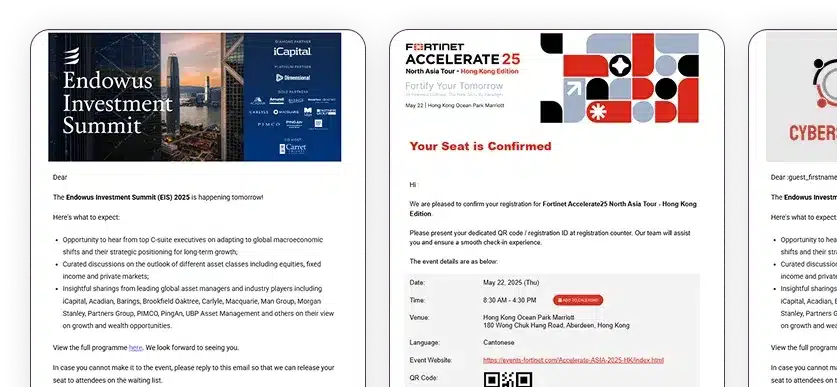
Design professional event emails using our drag-and-drop builder. Create branded invitations, confirmations, and reminders, with unique QR codes for each guest.

Trusted by Leading Brands & Event Agencies





Email Design Tool Built For Events
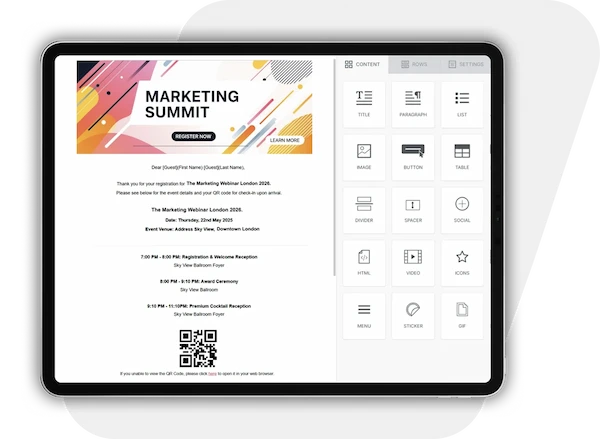
Create High-Converting Event Emails With Our Drag-And-Drop Builder
Utilize beautiful, branded email templates for every stage of your event. Include personalized QR codes for confirmations and track open rates, making every invite feel exclusive and engaging.
One-Click Bulk Sending
Launch invites to 500+ guests at once: VIPs, sponsors, or attendees – without losing personalization.
Your Domain, Your Brand
Send event emails from @yourevents.com (not ours) for instant credibility and proper branding.
Real-Time Guest Insights
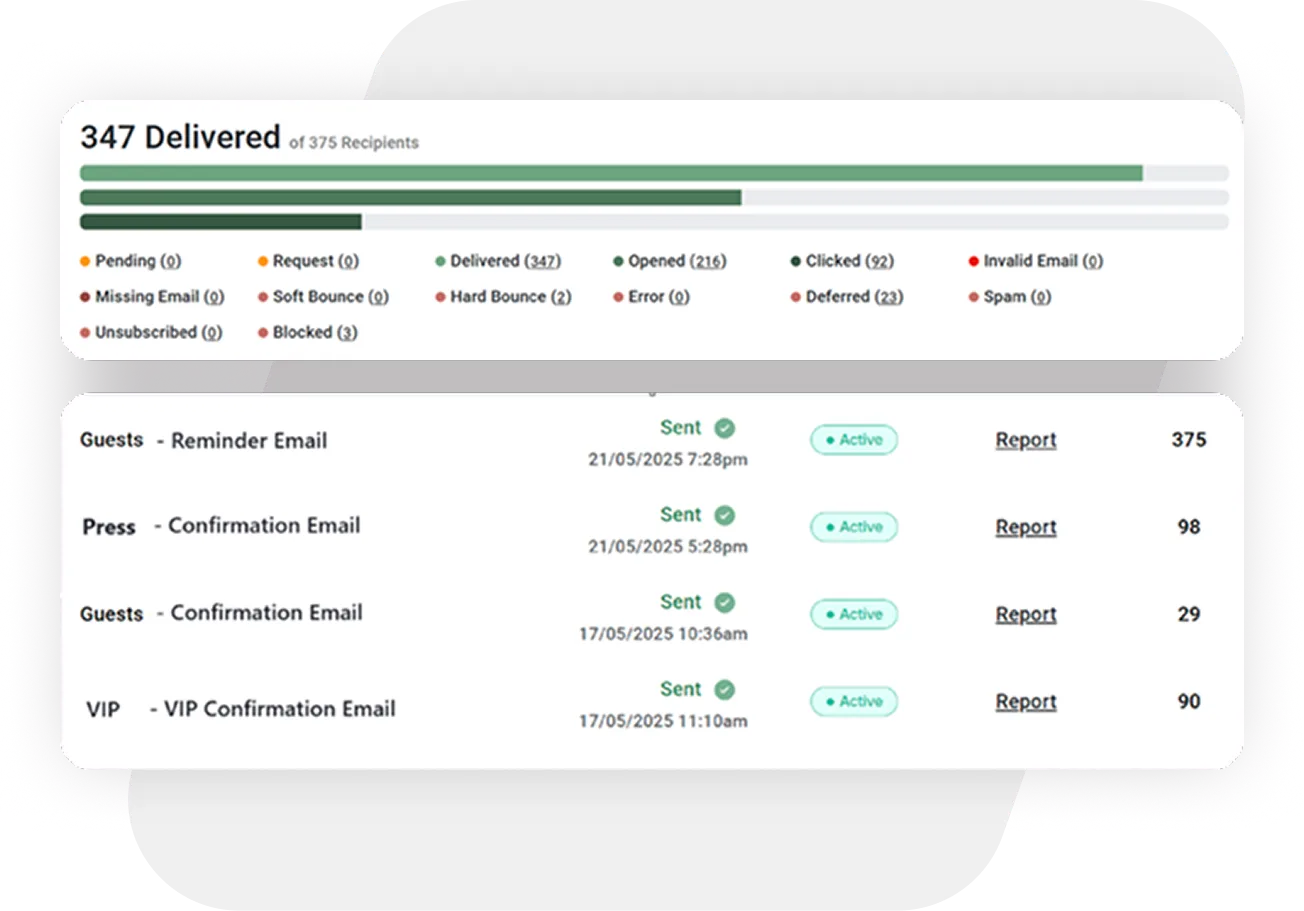
Track email opens, clicks, and bouncebacks as they happen. So you know who’s engaged before the event even starts.
Design Emails as Unique as Your Events
The only drag-and-drop builder made for perfectionist planners.
-
Pixel-Perfect Control
Adjust padding, margins, and alignment down to the pixel. Just like custom HTML, but with zero code. -
Flawless Mobile Responsiveness
Preview and tweak email designs for every device in one click. No more surprises and design glitches. -
Email Preview in Dark Mode
Instantly toggle between light/dark modes to see your invitation through your guests’ eyes -
Smart Guest Placeholders
Auto-insert guest fields to personalize email content such as names, salutations and table numbers. -
Create QR Codes in Seconds
Embed unique, scannable codes into emails. No design and tech skills needed.
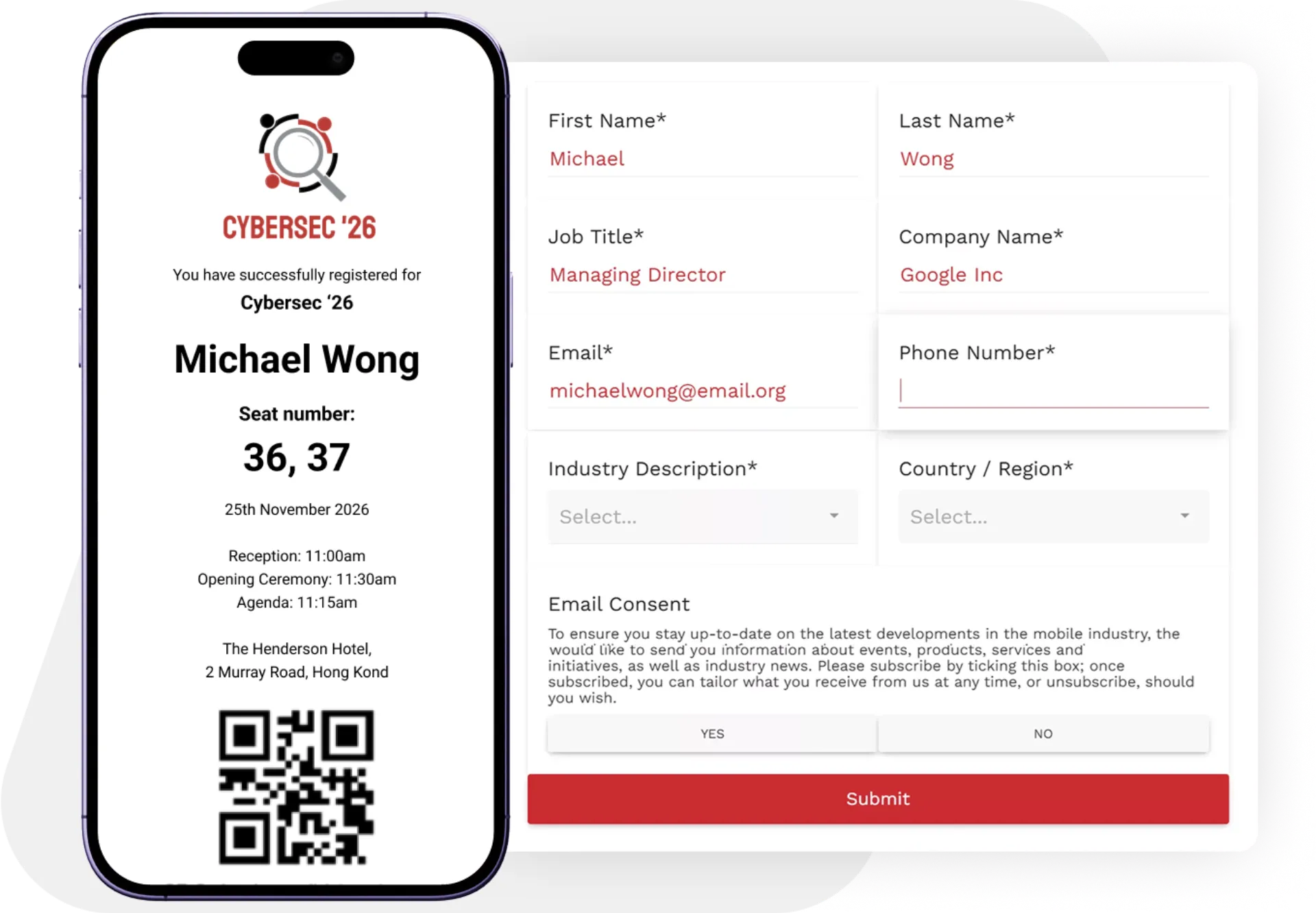
The Perfect Event Email Flow: Invitation → RSVP → Confirmation
No more disconnected tools or frustrated guests. Send invites, collect RSVPs, and automate confirmations – all in one platform.
-
1-Click Invitations with RSVP Links
Embed direct RSVP buttons that lead to your branded forms. No clunky third-party redirects. -
Prefilled Forms for Faster Responses
Guests see their details auto-populated - no typing, no delays, just instant replies. -
Instant Confirmation Emails with QR Codes
Automatically send personalized acceptances with scannable QR codes - ready for check-in and activity tracking.
Data-Driven Refinement
Know what works – and fix what doesn’t.
-
Comprehensive Email Analytics
Track deliveries, opens, clicks, bounces, and blocks - all in real time. -
Resend Emails with Precision
Target guests who missed your first send - without spamming the whole list. -
Complete Email Performance Export
Download detailed logs for every campaign for compliance and reporting.
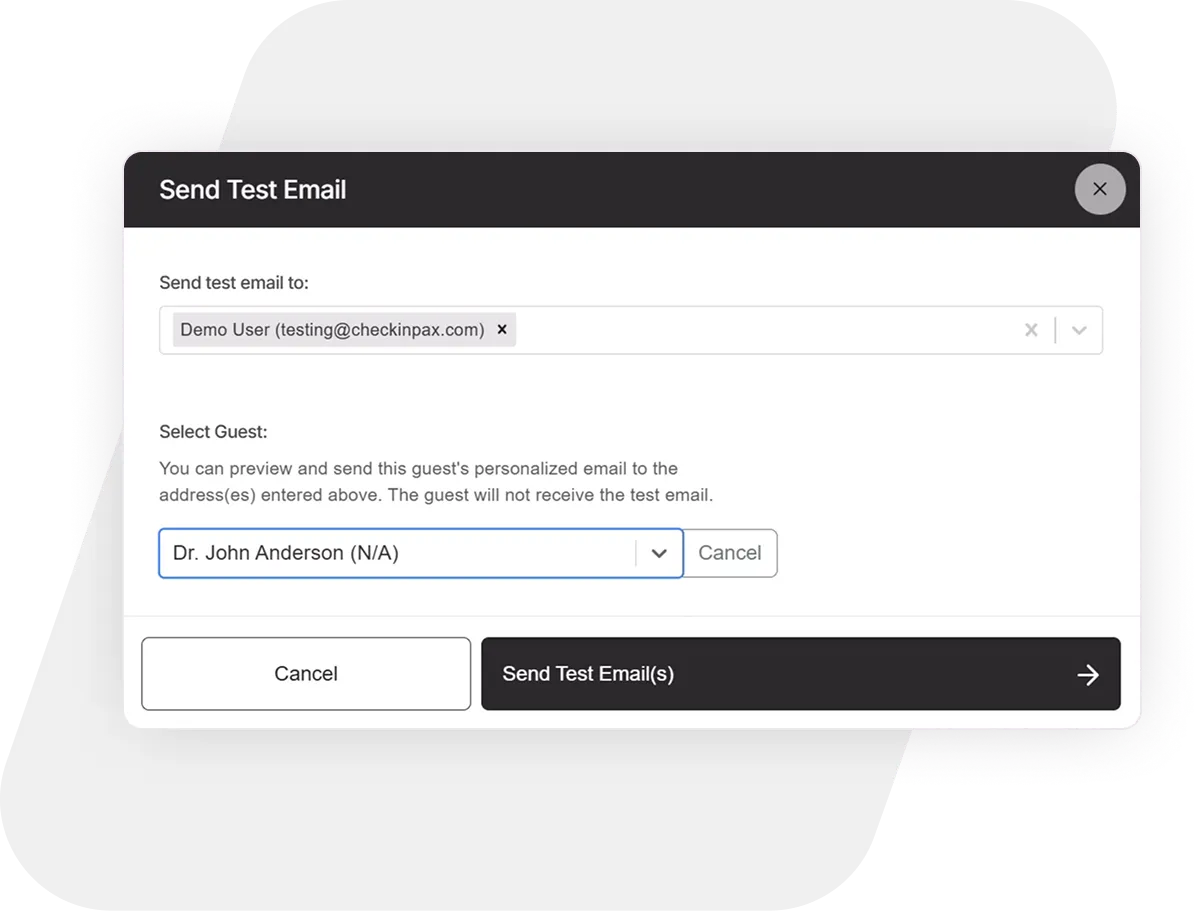
Test Emails Like a Perfectionist
-
Unlimited Test Emails
Preview and tweak drafts until every detail is impeccable. -
Guest-Specific Previews
See exactly how your email renders for each recipient’s device. -
Error Alerts Before Sending
Get flagged for missing QR Code info, so mistakes never go out.
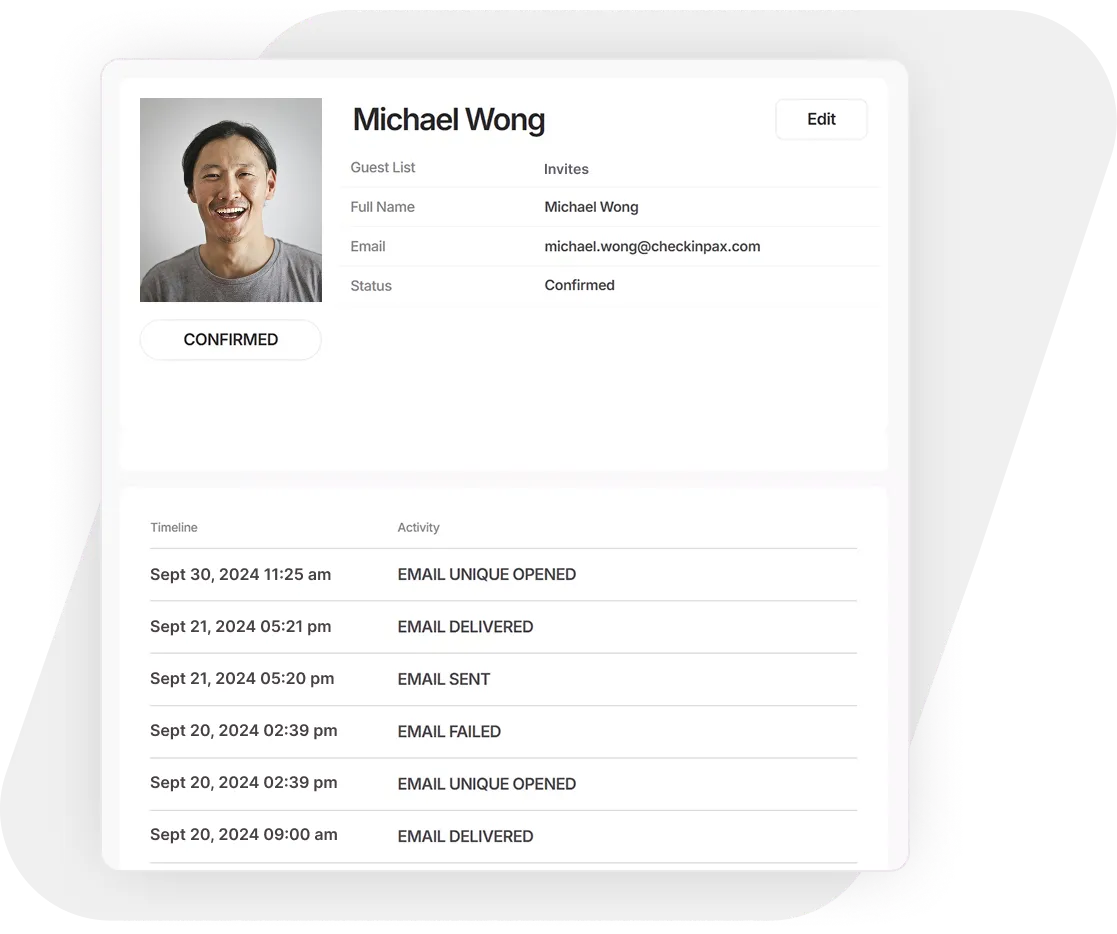
Event Guest Timeline Control
-
Chronological Communication Logs
View every email sent to a guest in order - no more confusion -
Exact Delivery Timestamps
Know precisely when invites and updates reached their inbox. -
Failed Delivery Alerts
Spot bouncebacks instantly and resolve issues before they matter.
Trusted by Leading Brands & Event Agencies




FAQ
Frequently Asked Questions
Every detail matters. Here’s what event planners ask most.
Do I need coding or design experience to build custom HTML event invitations?
Not at all. Check-In Pax features a zero-code, drag-and-drop email builder designed specifically for invitation-only events. You can easily arrange text, logos, layout blocks, and dynamic QR codes without wrestling with complex HTML. Every template you build is automatically optimized to look beautiful and remain perfectly legible on mobile devices and in dark mode.
Can we send event emails from our own custom company domain name?
Yes. Sending invitations from a generic or system domain can look unprofessional and trigger corporate spam filters. Check-In Pax fully supports custom domain authentication (SPF, DKIM, and DMARC). This lets you send all event communication directly from your own professional email handle, reinforcing your brand trust while maximizing your delivery rates.
Why are my event invitations showing a "deferred" status on the dashboard?
A deferred status means a strict corporate mail server (like a bank or enterprise domain) is temporarily delaying your email delivery to scan for bulk spam. With Check-In Pax, you don’t have to wait or contact their internal IT teams. When a recipient is marked as deferred, you can instantly copy their unique registration link or QR code straight from your dashboard and send it directly to them via SMS, WhatsApp, or a secondary messaging channel.
Read our complete guide on managing deferred statuses and whitelisting bypasses →
How do you prevent event confirmation emails from being blocked by corporate spam filters?
Large corporate domains frequently flag or block automated emails that contain heavy, raw PDF attachments like maps or agendas. Check-In Pax bypasses this issue entirely by letting you embed dynamic document links or dedicated text blocks directly inside your email layout instead of file attachments. This keeps your delivery sizes exceptionally lightweight, letting you cruise past strict firewalls seamlessly.
Learn more about the hidden deliverability risks of raw email attachments →
What happens if I need to update our event agenda or terms after the confirmation email has gone out?
Because Check-In Pax utilizes hosted, dynamic document links rather than unchangeable file attachments, you can update your materials at any time. If your sponsors or legal team make a last-minute adjustment, simply upload the new file into your portal. The links inside your sent emails update instantly in real time, completely eliminating the need to resend a corrective email blast to your guest list.
Can guests forward their private invitations to uninvited colleagues?
No. Unlike generic open registration forms where anyone can sign up, Check-In Pax features a locked email identity system. Every digital invite is anchored directly to your uploaded master guest list. If an invitee forwards their email to a coworker, the registration screen remains fundamentally locked to the original recipient’s identity, preventing unauthorized drop-ins from hijacking the slot.
Discover More
Combine Email Communications with Event Check-in
We did not stop at email communication. Try our intuitive Check-in App to welcome guests on event day – fast!
RSVP & Registration Forms
Create and customize forms quickly, pre-fill guest details, send instant confirmations, and download registration reports.
Email Confirmations
Design branded emails with our no-code builder - complete with unique QR codes sent from your domain.
Dashboard & Reports
Access real-time statistics before and during check-in, along with detailed reports after the event.
Event Check-in
Manage check-ins & walk-ins for one or more event days, with seamless background sync and instant reporting.
On-site Badge Printing
Create custom-sized name tags using the badge editor, print badges on-site, and add QR codes for guest identification.
On-site & Tech Support
Hire remote experts and technicians to join you on-site ensuring flawless check-ins from setup to teardown.
Post-Event Analytics
Download detailed reports: guest arrivals, no-shows, and custom metrics.
One-Click Data Purge
Automatically delete guest lists 24h post-event for compliance.
Feedback Collection
Send branded post-event surveys to measure success.