Corporate email invitations get blocked when strict firewall algorithms flag identical emails hitting multiple internal employee inboxes simultaneously as a security risk. To bypass these filters, event planners must transition away from open bulk emailers and adopt an event registration infrastructure built to stagger distribution speeds and handle delivery holds in real time.
In the high-stakes world of corporate, luxury, or VIP events, an invitation that never reaches the inbox is your biggest hidden risk. If your guest list includes executives at major financial institutions, universities, or multinational enterprises, standard bulk email delivery often falls short.
Below is the operational engineering required to stop corporate email invitations from being blocked, handle temporary delivery holds, and ensure your highest-value guests receive their access credentials.
1. Why Corporate Email Invitations Get Blocked
Many event planners find that high-profile corporate guests fail to receive their registration or confirmation emails entirely. This rarely happens due to an invalid email address. Instead, it is an automated defense mechanism triggered by the target company’s mail server.
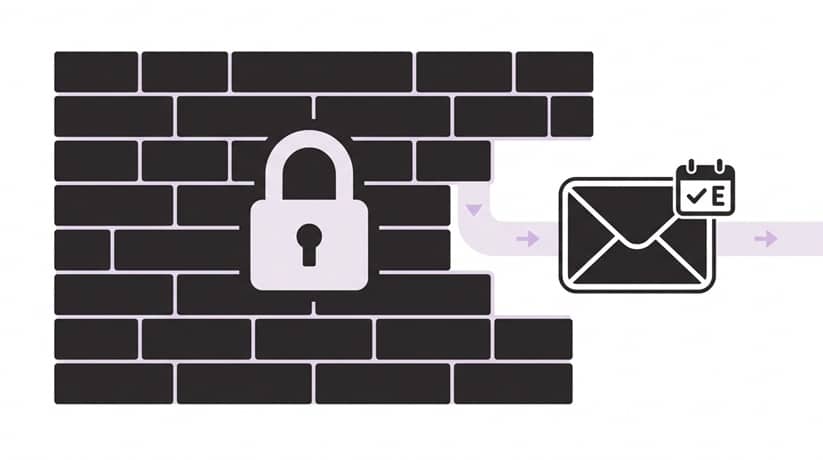
When a corporate domain detects identical email layouts hitting multiple employee inboxes at the exact same time, it flags the blast as a potential security risk or repetitive spam.
The Fix: Look for an event platform built on a distinct, delivery-optimized infrastructure that staggers distribution speeds and adapts to enterprise traffic rules. More importantly, ensure your system gives you a live dashboard that flags exactly when these holds occur, so you can react before the guest ever notices a delay.
2. Demystifying the “Deferred” Email Status
If your delivery dashboard shows a deferred status, it means the receiving server has not rejected the email, but has deliberately put the delivery on temporary hold. This is an incredibly common bottleneck when sending to tight clusters of corporate addresses.
Planners often waste critical hours trying to get a client’s internal IT department to whitelist a server, which is a manual process that rarely moves fast enough for an upcoming event timeline.
The Fix: When specific emails or recipients are marked as deferred on your dashboard, the fastest workaround is to bypass the email server completely. Use an event tool that lets you instantly extract the guest’s unique registration or QR code as a direct URL link from your analytics panel. You can then copy this link and send it straight to the guest via a secondary channel like SMS, WhatsApp, or LinkedIn messaging.
3. The Hidden Deliverability Risk of PDF Attachments
It is tempting to attach a PDF agenda, venue map, or sponsor flyer directly to your confirmation blasts. However, attaching raw, heavy document files to automated event emails drastically increases the probability of your messages getting trapped by corporate firewalls.
The Fix: Keep your outbound email file sizes exceptionally light by embedding dynamic document links or dedicated layout blocks inside the email body instead of raw attachments.
An added operational benefit: if your legal team, venue coordinators, or event sponsors make last-minute adjustments to the wording or schedule after your invitations have already gone out, you can simply re-upload the file on your server. The hosted link updates instantly on the fly, eliminating the need to resend a single email blast.
4. Stop Forwarding That Gets Corporate Email Invitations Blocked
For exclusive, invitation-only events, security and capacity management are paramount. Traditional open RSVP links are highly vulnerable because recipients can easily forward their email to uninvited colleagues, creating unexpected reception-desk rushes and venue capacity issues.
The Fix: Secure your list using a locked email identity system. By anchoring each digital RSVP form strictly to your pre-uploaded master Excel guest list, the registration screen remains fundamentally tied to the original recipient. Even if an invitee forwards their email to a colleague, the landing page stays completely locked to the original address, preventing unauthorized registrations.
Master Your Event Infrastructure
Don’t let rigid corporate firewalls compromise your attendance rates. Check-in Pax provides event professionals with real-time delivery transparency, instant QR link extractions, and locked-identity RSVP tracking built specifically for high-stakes corporate environments.