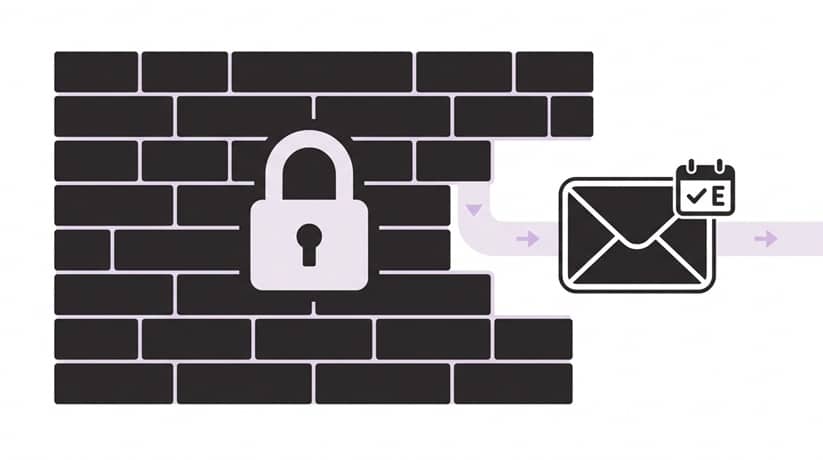
QR codes for events help planners speed up guest check-in, reduce manual errors, prevent duplicate entries, and track attendance in real time. But simply generating a QR code is not enough. If codes are hard to distribute, fail to scan at the door, or cannot be verified by staff, they can create the very bottlenecks they were meant to solve.
This guide covers five common event QR code mistakes – from poor distribution to weak on-site backup plans – and explains how to create a smooth, secure QR code check-in process for conferences, corporate events, VIP receptions, galas, and large guest lists.
Related: Why Google Sheets & free QR generators fail at live events →
What are QR codes for events?
Why use QR codes for event check-in?
The main benefits include:
- Faster guest entry
- Fewer manual check-in errors
- Better control over duplicate entries
- Contactless check-in
- Real-time attendance tracking
- Easier access control for VIP areas, sessions, and restricted zones
Event QR Code Check-In Checklist
Before the event:
- Generate one unique QR code per guest.
- Embed QR codes directly in the email body.
- Include a backup secure link.
- Test codes on phones and printed copies.
- Test scanning under actual venue lighting.
- Charge all scanning devices.
- Prepare backup devices and chargers.
- Train staff on manual guest search.
- Create a help desk for missing codes.
- Define a process for VIPs, duplicate scans, and shared codes.
This is part of our complete guide to event check-in and badge printing. Read the full Ultimate Guide here.
1. Distribution: How do 800 guests actually get their code?
What many planners get wrong:
They assume they’ll email every guest a unique QR code and the job’s done. That works – until it doesn’t. Corporate email servers block images or attachments. Guests lose the email. Some register without an email address at all (walk-ups, staff accounts, VIPs via WhatsApp).
How to fix it:
Use a check-in system that automatically generates a unique QR code for each guest, then lets you send it by email or as a secure link.
Design the message once and send to 50, 100, or 1,000 guests in one batch.
For example, Check-in Pax embeds each guest’s QR code directly in the email body instead of sending it as an attachment. The code appears near the top of the message, works with a backup link, and avoids the friction of downloads or broken attachments.
The real game-changer:
When a guest loses their code, one click to resend – via email again, or instantly switch to a secure link sent by SMS or WhatsApp. No manual generating of QR codes. No “I’ll get back to you.” Just solved in seconds.
2. Hardware & scannability (the golden rules)

What many planners get wrong:
They test codes in a bright office under perfect conditions. Then the event happens under moody spotlights, guests have dark mode enabled, and iPads die by 7:30 PM.
How to fix it:
After managing thousands of high‑stakes check‑ins, these rules are non‑negotiable:
Large QR code size – Too small = second scan attempts = slower queue.
Native embedding – Attachments get blocked by corporate servers. Put the code in the email body.
Above‑the‑fold placement – Guests shouldn’t scroll to find their code at the reception desk.
Alternative QR code link as a backup – Corporate email servers block images? The QR code link still works.
Dark mode safe – Black code on a solid white background. No transparency. No surprises.
Lighting audit – Test under actual venue lighting, not your office desk.
Battery trap – Continuous scanning drains iPads fast. Keep backup devices ready and avoid using very old tablets or iPads that have not been updated for a long time.
3. Beyond the front door: the QR code as a Personal ID
What many planners get wrong:
They treat QR codes as a check‑in tool only. Guest scans once at the door. Then the code goes dormant in their pocket or on their phone.
How to make it better:
Print the same QR code on the name badge. Now that single code becomes a Personal ID for the entire event journey. Place scanners at:
Session entries – See real‑time attendance per room. Know exactly which sessions are over capacity.
VIP zones – Auto‑validate access without a separate list or wristband.
Souvenir pick‑ups – Make sure each guest only gets one. No duplicates. No arguments.
Bar or catering points – Track usage patterns.
4. What happens when a scan fails? (Set up for on‑site challenges)
What many planners get wrong:
They pretend every scan works perfectly. In reality:
Guests forget to charge their phones.
Lighting changes.
Batteries die.
QR codes get shared among guests.
That last one can significantly disrupt your check-in. One guest forwards their code to a friend, and suddenly you have duplicate check-ins or an error stating the QR code has already been scanned, or, even worse, headcount errors, uncertainty about who actually showed up, and a potential security breach.
How to fix it:
Even the best technology needs a human backup. Here’s your on‑site safety net:
Designate a help desk – For guests who can’t access their QR code.
Train manual search – Every staff member should know how to find a guest by name in the system.
Use a check-in app that shows full guest details – Name, company, position, guest type, plus‑one status, and exactly when their QR code was scanned. This gives your team the authority to manage double scanning, detect shared codes on the spot, and resolve disputes without guessing.
Extra scanners or lanes during peak times – One bottleneck can slow the entire queue.
Clear signage – “Have your QR code ready.” It sounds obvious. It works.
Why this is absolutely critical for high‑stakes events:
You do not want your best client’s CEO standing in a line while your staff fumbles with a tablet, unsure if the code is valid, already used, or shared. With full guest details and scan history, your team resolves issues in seconds, not minutes. The CEO is checked in smoothly. The line keeps moving. Your brand looks professional.
Why “Scan-Only” Apps Leave You Stranded
Many QR code check-in apps stop at the scan. Code works? Great. Code fails? Your staff stares at a dead screen with zero options.
Here is what actually happens at a live event:
VIP guest’s phone dies at the front of the line
Corporate email blocked the QR code image entirely
Guest forwarded their code to a colleague who already checked in
Printed badge is crumpled, torn, or left in the car
A scan-only app cannot handle any of these. Your staff is reduced to: “Sorry, I need that code.”
The professional fix: Your check-in app must allow staff to search by name, company, email, or any custom field. Not just as a backup. As a primary tool.
With Check-in Pax, when the typical QR code scanning process is not possible, your team types three letters of a last name, finds the guest instantly, and marks them checked in. The line moves. The guest feels helped and welcomed.
This is the difference between a scan robot and a professional check-in team. The robot stops at the first error. Your team solves problems in seconds.
5. Team training: tech handles logistics, people handle hospitality
What many planners get wrong:
They assume staff will figure it out on the day. They don’t. A flustered staff member with an unresponsive iPad creates a worse experience than a slow manual check‑in.
How to fix it:
Give your front‑of‑house team 10 minutes with the app before doors open. Train them on:
When to hand over to a supervisor – Not every problem needs escalation, but a stalled line does. Know the threshold.
When to perform a manual search – If a QR code won’t scan after two attempts, stop wasting time. Search by name, company, or email and move the guest through.
Who the VIPs are – Board members, top clients, speakers. Their names and photos should be known to the team in advance. No waiting in line. No questions asked.
A confident staff member makes every guest feel welcomed rather than processed.
Final Thoughts
A great QR code event check-in process is part tech, part planning, and all about delivering a smooth first impression. Get the fundamentals right and the rest takes care of itself: nail your distribution, test your hardware in advance, use one code for the whole guest journey, plan for the moments things go wrong, and train your team so they’re never caught off guard.
Do that, and check-in stops being a bottleneck and becomes a strength, efficient, contactless, scalable, and insight-driven from the first scan to the last.
- ✅ Efficient — guests move through the door in seconds, not minutes
- ✅ Contactless — a cleaner, more modern arrival experience
- ✅ Scalable — the same process works for 50 guests or 5,000
- ✅ Insight-driven — every scan feeds real-time data you can act on
Want to simplify QR code event check-in?
Check-in Pax generates, embeds, and sends unique guest QR codes automatically, so your team can manage check-in faster and resolve on-site issues with confidence.
Try Check-in Pax ↗ Request a Demo ↗FAQ: QR Codes for Events
How do QR codes work for event check-in?
Each guest receives a unique QR code before the event. At the entrance, staff scan the code with a check-in app to verify the guest, mark them as attended, and prevent duplicate check-ins.
Can I send event QR codes by email?
Yes. The best approach is to embed each guest’s QR code directly in the email body and include a backup secure link in case images are blocked by corporate email filters.
Can guests use the same QR code on their phone and printed email?
Yes. A guest can present the same unique QR code digitally or on paper. Once scanned, the system should mark it as used to prevent duplicate entry.
What happens if a guest loses their QR code?
Your check-in team should be able to resend the code, send a secure link by SMS or WhatsApp, or manually search for the guest by name, company, or email.
Can QR codes be used for more than event entry?
Yes. The same QR code can be used for session access, VIP zones, badge identification, catering, souvenir pickup, and attendance analytics.
Are QR codes secure for events?
They can be secure if each guest receives a unique QR code and the check-in system shows scan history, guest details, and duplicate-scan warnings.