As generative AI reshapes nearly every digital workflow, one question keeps surfacing among corporate planners and agency directors: What happens to live events when AI can automate almost everything else?
The short answer is that live events become more valuable, not less. You can automate a webinar summary or a follow-up email, but you cannot automate shaking someone’s hand, reading the energy in a room, or building trust over dinner.
“Live events are real, physical experiences – and by design, they are far more AI-resistant than almost any other industry,” says Boris, Co-Founder of Check-in Pax and event tech veteran. “At the end of the day, people still get on planes and walk through venue doors because they want to meet real humans. Technology shouldn’t try to replace that moment; its job is to remove every ounce of friction standing between a guest and the room.”
"Live events are real, physical experiences - and by design, they are far more AI-resistant than almost any other industry. At the end of the day, people still get on planes and walk through venue doors because they want to meet real humans."
Boris, Co-founder Check-in Pax
Yet while the room remains distinctly human, the path to the room is changing rapidly. And if your event registration stack isn’t built for how guests – and their AI assistants – interact with software today, you are quietly losing attendees before they ever arrive.
From the "App Moment" to the "Connector Moment"
Over the last 15 years, every major brand faced the same question: “Do you have an app?” Having a dedicated mobile app was the benchmark for modern event tech.
Today, we are entering a very different era. Nobody wants to download single-use app (be it for events or other purposes) just to register for a dinner or retrieve a barcode. Instead, busy executives and attendees are delegating routine logistics to personal AI assistants and inbox agents.
"Software in general is going through a massive shift. We are moving past the 'App Moment' into the 'Connector Moment.' Soon, people won't ask, 'Do you have an app?' They will ask, 'Do you have a connector so my AI assistant can handle this for me?'"
Boris, Co-founder Check-in Pax
Think about what happens when an attendee tells their AI assistant: “RSVP yes to next Thursday’s VIP preview and put my entry pass on my calendar.”
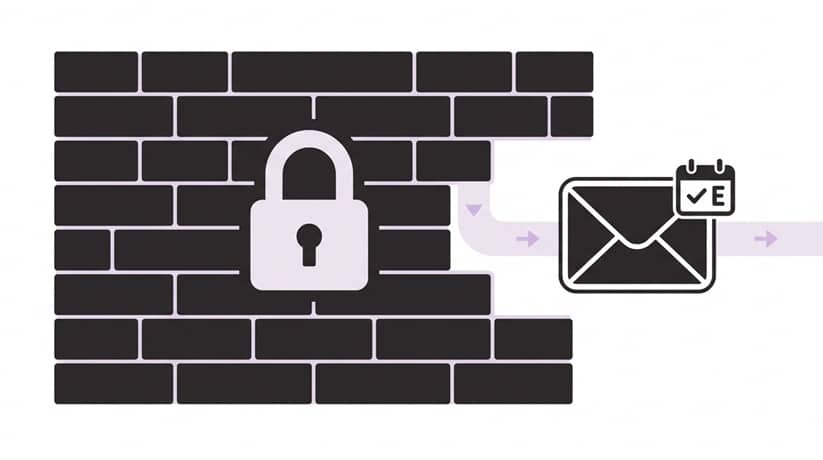
For that handoff to succeed, an AI agent has to navigate your registration link, verify that the invitation is legitimate, submit the form, parse the confirmation email, extract the QR pass, and attach it to a calendar invite. If your event tech relies on clunky third-party redirects and unbranded emails, that automated workflow breaks—or worse, gets flagged as a security risk.
Why Branding Is No Longer Just for Humans—It’s for Bots
Traditionally, marketers thought of white-label branding as purely cosmetic: matching fonts, colors, and logos so an invitation looks cohesive. In an AI-assisted world, brand ownership is a critical trust signal for machines.
Personal AI assistants are trained to protect their users from phishing, spoofing, and unauthorized data harvesting. When an assistant encounters a generic registration URL ([random-event-tool.com/form/84920](https://random-event-tool.com/form/84920)) or a confirmation email sent from noreply@thirdpartyplatform.io, it creates an immediate trust gap:
It will be more important than ever to make sure your registration form or RSVP pages are hosted on authorized domains and emails are sent from your or client’s email domain:
rsvp.yourbrand.com or events.yourclient.com—both human guests and AI agents
immediately recognize that the page belongs to the host organization.
rsvp.yourbrand.com
·
events.yourclient.com
invitations@yourbrand.com) pass strict DMARC/DKIM security checks. They land in the inbox,
not spam.
invitations@yourbrand.com
·
events@yourclient.com
100% branding isn’t vanity anymore. It is how you prove to both a VIP guest and their digital assistant that your event is authentic.
4 Ways to Make Your Event Registration & QR Handoff "Bot-Ready"
Whether a guest registers manually on their phone or delegates the task to an AI assistant, a few simple infrastructure choices will ensure your QR pass makes it cleanly onto their calendar and into the venue:
Put your RSVP flow to the test with an AI. In this video, watch me use my AI agent to register for a Gala Dinner test event via Check-in Pax RSVP forms.
The perfect first impression without any friction.
(Video will be added soon)
Checking the organizer backend, I can see that the guest (me) is registered including and the status is confirmed.

Preparing for What’s Next
The future of events isn’t virtual avatars replacing gala dinners – it’s invisible, trustworthy connectors bridging digital assistants with real-world hospitality. By owning your RSVP subdomain, sending confirmations from your own domain, and structuring your QR passes for effortless calendar handoffs, you make your events ready for how guests actually operate today – while keeping physical check-in at the door under two seconds.
Want to see how 100% branded RSVP forms, custom email domains, and sub-2-second check-in work together? Explore Check-in Pax or test your next guest list for free (up to 20 guests, no credit card required).